-
如何备份 Hexo 博客
每次迁移 Hexo 博客总是很麻烦,有什么方便的方法呢?
如果是将 Hexo 文件部署在 Github 上,可以这么操作。
首先在本地 Hexo 目录下创建一个 Git 仓库。
shiot@DESKTOP-IOE514E MINGW64 ~/Desktop/hexo/blog
$ git init
Initialized empty Git repository in C:/Users/shiot/Desktop/hexo/blog/.git/
创建完仓库后,先检查一下
.gitignore文件中是否有被忽略的备份文件。将本地仓库与远程仓库关联。
shiot@DESKTOP-IOE514E MINGW64 ~/Desktop/hexo/blog (master)
$ git remote add origin git@github.com:puffpuffcode/puffpuffcode.github.io.git
将文件添加到暂存库,并提交。
shiot@DESKTOP-IOE514E MINGW64 ~/Desktop/hexo/blog (master)
$ git add .
$ git commit -m "😁 first commit for backup."
需要切换到
dev分支,否则会与远程仓库冲突。shiot@DESKTOP-IOE514E MINGW64 ~/Desktop/hexo/blog (master) $ git branch dev $ git checkout dev提交到远程仓库的
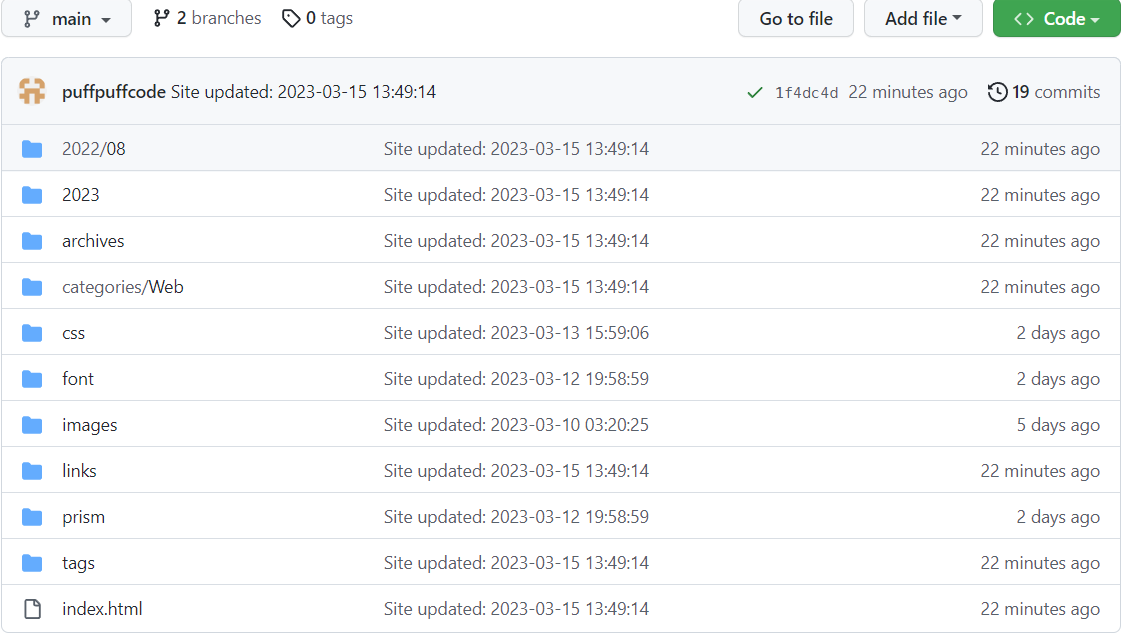
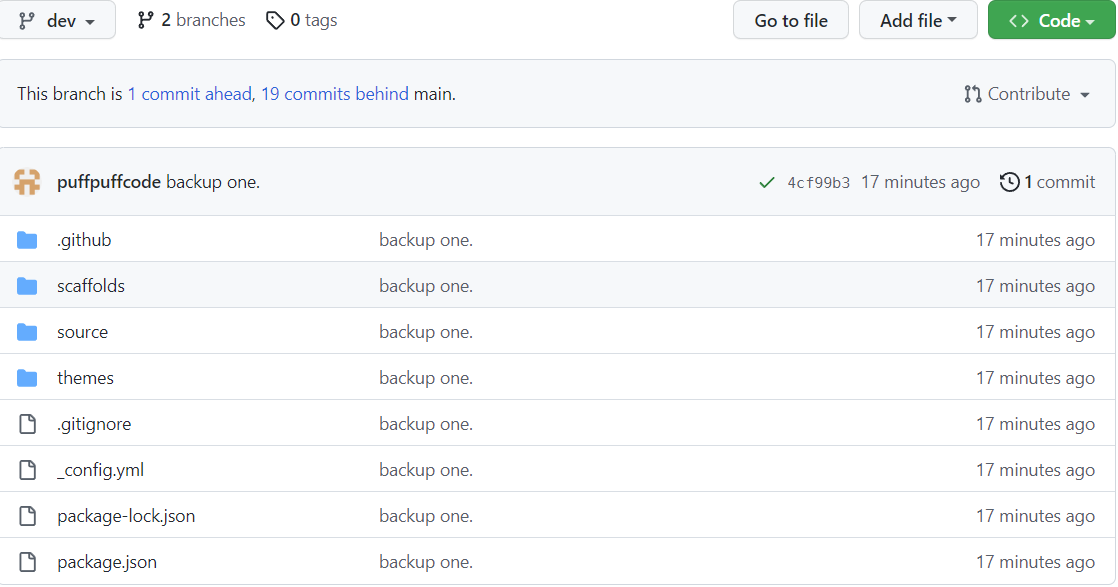
dev分支,因为master或者main分支存放的是静态博客文件。shiot@DESKTOP-IOE514E MINGW64 ~/Desktop/hexo/blog (dev) $ git push -u origin dev最后查看一下 Github 仓库。
main 分支
dev 分支
做到这里就备份成功了!
如果换电脑或者是本地博客文件丢失了,可以如下操作。
# clone 备份文件
$ git clone git@github.com:puffpuffcode/puffpuffcode.github.io.git
# 切换到 dev 分支
$ git checkout dev
# 安装依赖
$ npm i
# 检查是否可用
$ hexo s